
What is an EPOS System and How Does It Work in Retail Operations

In today’s retail sector, customers expect quick checkouts, accurate stock levels, and seamless service whether they buy in-store or online. Behind these smooth experiences is an Electronic Point of Sale system. If you run a retail store, understanding how this technology functions is essential for daily management and long-term growth. Understanding the EPOS System An Electronic Point of Sale (EPOS) system is a combination of hardware and software designed to process sales transactions and manage retail data in real time. Unlike a traditional cash register that manually records cash coming in and going out, an EPOS system connects directly to your other business systems and databases. The hardware setup typically includes: Touchscreen display terminals for staff interaction Barcode scanners for quick product lookup and stock management Receipt printers and cash drawers Integrated card payment terminals The software acts as the central brain. It records transactions, updates stock, tracks sales performance, and manages customer records simultaneously. How Transactions Flow Through an EPOS System Processing a sale with an EPOS system is straightforward, but multiple background actions happen instantly: Scanning Items: The cashier scans a product barcode or selects the item on the touchscreen. The system retrieves product details, price, and tax information automatically. Applying Promotions: The software applies active discounts, loyalty points, markdowns or promotional pricing rules without manual cashier calculations. Taking Payment: The customer pays using cash, card, contactless payment, or mobile wallet. The payment gateway verifies the transaction in seconds. Updating Stock: As soon as the sale completes, the system deducts the item from central stock records. Issuing Receipts and Logging Data: The terminal prints or emails a receipt while logging transaction details into your sales report database. The Role of EPOS in Retail Stock Management Stock control is where an EPOS system delivers immense value. An EPOS system helps to track every item moving through your stores in real time. When a product sells in-storeyour stock count updates at head office and across all sales channels, throughout your EPOS estate and online channels This live tracking prevents overselling and allows you to manage subsequent purchasing and allocation according to demand. Accurate stock data cuts holding costs and keeps capital flowing. Key Benefits of an EPOS System for Your Retail Shops Investing in an EPOS system for your retail shops transforms how you manage daily operations: Faster Checkouts: Shorten queue times and keep customers happy during peak trading hours. Fewer Human Errors: Automated pricing and calculations eliminate manual input mistakes. Better Business Insights: Built-in reporting tools show your top-selling products, peak busy hours, and profit margins. Multi-Channel Integration: Connect your physical store seamlessly with your e-commerce platform. Customer Loyalty Tools: Track purchase histories and offer personalised rewards to encourage repeat visits. Future Trends in EPOS Technology EPOS technology continues to evolve to meet changing shopper habits. Artificial intelligence now powers predictive analytics, helping retailers forecast demand based on seasonal trends and local weather patterns. Cloud-based EPOS platforms allow store owners to check performance metrics from anywhere using a mobile device. Mobile EPOS solutions also empower store staff to complete checkouts anywhere on the shop floor, removing traditional checkout counters altogether. Contact Eurostop for an EPOS System for Your Retail Shop Choosing the right technology partner makes all the difference when upgrading your retail operations. Eurostop provides flexible, feature-rich EPOS solutions tailored specifically for fashion, footwear, and lifestyle retailers. Our systems help you streamline stock management, process payments securely, and deliver unified retail experiences across all your sales channels. Contact us today for a no-obligation demonstration or call +44 (0) 20 8991 2700.
How to Choose the Best EPOS System for Your UK Business in 2026

UK retail is moving fast. High street stores, pop-up shops, and multi-channel brands face shifting customer habits and rising costs in 2026. Choosing the right point of sale technology helps you keep track of inventory, process sales quickly, and run your business without daily friction. Finding reliable retail EPOS software requires looking past basic checkout functions. Here is a practical guide on how to pick the right system for your UK business this year. Understanding Your Specific Retail Industry Requirements Not all retail businesses operate the same way. Standard merchandise retail with colour size variants, including footwear, fashion, jewellery and lifestyle have very different requirements to the food and beverage industry for example. Within traditional retail there are also characteristics of the specific sub-sector which will also require addressing. Before looking at software, write down your operational requirements as well as current pain points. Do you handle high volumes of stock returns? Do you need stock transfers between locations? Do you sell both online and in physical stores? Are you finding it a challenge to manage multiple online selling channels, sourcing stock intelligently from across your business? How are you managing to fulfil orders in the most efficient, cost effective, and green, way? Identifying these needs early prevents you from buying a generic tool that fails to handle your daily stock management and importantly to be able to report on your data to get meaningful insights for future planning Cloud-Based vs. Traditional EPOS Systems Legacy on-premises EPOS systems store data locally on hardware inside your store. While they work without an internet connection, they require manual updates, physical servers, and local maintenance. Cloud-based systems store your data securely on remote servers, allowing you to check sales figures and stock levels from any internet-connected device. Most modern UK retailers choose cloud solutions because they update automatically, scale easily as you open new branches, and connect directly to e-commerce platforms. Must-Have Features in Modern Retail EPOS Software Your EPOS platform should serve as a practical operational tool for your store team. Look for intuitive and feature rich software that that fully connects your point of sale with central stock control. Basic and introductory POS solutions often have built in ‘stock control’ functions. However the latter is very basic, and although may seem highly attractive at first can lead not only to extra expenditure, but wasted time when you find you have to onboard a more comprehensive solution quite quickly. Your connected stock control or inventory management system should also provide the right functionality for your retail merchandisers so that you can maximize ROI and get a system in place that will allow you to scale in the future. A specialised stock inventory system capable of meeting the needs of your merchandising team will ensure that you can manage your modern multichannel operations as it demands. The key features your system should include are: Real-time stock management: Automated stock tracking across physical stores and online channels to prevent stockouts and overstocking. Omnichannel integration: Connection between your physical tills, e-commerce store, and warehouse operations. Customer loyalty programmes: Tools to create buyer profiles, track shopping histories, and issue rewards directly at checkout. Integrated payment processing: Support for contactless, mobile wallet, chip and PIN, and split payments. Detailed analytics and reporting: Clear reports on sales margins, top-performing items, and staff sales performance. Transparent Pricing and Cost Structures EPOS pricing structures vary across software providers in the UK market. Some companies charge lower monthly software fees but add high transaction charges on payment processing. Others charge upfront software licensing fees alongside ongoing maintenance contracts. Calculate the total cost of ownership over a three-year period. Factor in hardware purchases, software subscriptions, implementation fees, and training costs. Ask vendors about hidden costs for software upgrades or additional user licences so you do not encounter surprises later. Assessing Vendor Reliability and Support Software is only as good as the team behind it. System downtime directly impacts sales revenue, especially during busy trading periods like Black Friday or Christmas. Evaluate vendors based on their experience in UK retail. Check whether they offer UK-based technical support during your actual opening hours. Review their record on system stability and ask about their software update schedule. Working with an experienced retail technology partner ensures you receive expert assistance when technical issues arise. Contact Eurostop for Retail EPOS Software Today Choosing the right technology partner gives your UK store the foundation it needs to operate efficiently in 2026 and beyond. At Eurostop, we deliver tailored retail EPOS software and stock management solutions designed specifically for fashion, footwear, and lifestyle retailers. Contact us today for a no-obligation demonstration or call +44 (0) 20 8991 2700.
How Retail EPOS Systems Reduce Shrinkage and Theft in UK Stores

Shrinkage costs UK retailers billions of pounds every single year. Lost inventory happens through shoplifting, administrative mistakes, vendor miscounts, and internal employee theft. For store owners, these unrecorded losses eat directly into profit margins, create stocking problems, and distort future purchasing plans. Implementing a modern retail EPOS system assists businesses gain direct and more accurate oversight across inventory levels, sales activity, and register operations. By replacing slow, manual processes with automated tracking, store managers can spot stock discrepancies quickly and stop losses before they impact the bottom line. What Is a Retail EPOS System? An Electronic Point of Sale (EPOS) system combines hardware tools and intelligent software to process customer sales and manage day-to-day store operations. Unlike a traditional cash register, an EPOS system uses central data and logs every action into a secure central database instantly. It connects sales terminals, barcode scanners, and card payment processing units directly into core inventory management software. When an item scans at checkout, the system can determine accurate pricing and product information and record the exact transaction time, staff member ID, payment method, customer information and updated stock count in real time. Core Features That Guard Against Loss Modern EPOS platforms come equipped with specific security, auditing, and access control tools engineered to minimise inventory loss across store locations. Key security features built into EPOS software include: Barcode Scanning: of products ensures that prices, promotions and markdowns are applied both accurately and consistently. User Permissions: Restricts high-risk actions like line voids, refunds, and manual price overrides to authorised members of staff. Audit Trails: Logs every till action, drawer opening, and discount entry with staff timestamps for complete accountability. POS Reads: Including X, B and Z allows retailers the flexibility to reconcile cash against the system’s totals mid-way through the day, at the end of a shift or at the end of day to clear the POS when daily totals are also reset. Masking also requires cashiers to count drawer cash without seeing expected system totals first, stopping cash skimming. Real-Time Stock Tracking and Loss Reduction Stock Control is a complex process, and the correct business processes must be implemented alongside the right retail technology in order to maintain an accurate view of inventory. As well as maintaining a schedule of full and perpetual stock takes, it is also vital to have a secure method to process sales from every location, allowing you to maintain a single view of truth on your stock position. In addition, processes such as booking in and transferring stock need to be recorded in the same system. It’s imperative that retailers have all these in hand so that any discrepancies in the business can be identified quickly. Reconciling and addressing shortages after a delayed time period means that it can be difficult or impossible to trace and investigate root causes. An EPOS system enables you to manage these stock control functions effectively in your brick and mortar stores, which ensures that your businesses’ ecosystem is protected better against loss. Multi-Store Visibility Across Locations Managing loss across multiple retail sites presents serious operational challenges. Practices vary between store teams, and stock transfers between locations can create tracking gaps where items disappear undetected. A centralised EPOS platform links all your retail branches into a single management dashboard. Regional managers can compare shrinkage rates across stores side by side. If one location reports significantly higher stock variance than others, leadership can quickly review local procedures, staff training, or security protocols. Centralised visibility ensures inventory transfers between warehouses and branches remain fully traceable at every step. Improving Checkout Efficiency and Transaction Control The till area has historically been where internal fraud and cash discrepancies happen most. Unrecorded cash sales, fake returns, and unauthorised discounts can easily go unnoticed without strict system rules. An EPOS system speeds up customer checkout while maintaining tight transaction controls at the counter. Barcode scanning prevents manual pricing errors, while integrated payment terminals eliminate manual keying mistakes for card transactions. Furthermore, requiring the correct authorisation for discount adjustments prevents unauthorised price reductions during peak trading hours. Contact Eurostop for Retail EPOS Systems Today Reducing shrinkage requires clear operational visibility, structured store workflows, and reliable retail technology. Eurostop provides feature-rich retail EPOS solutions tailored specifically for UK fashion, footwear, and lifestyle brands. Our EPOS software gives you real-time stock control, multi-store reporting, and secure checkout workflows designed to protect your profits and streamline daily store management. Ready to secure your store inventory and take control of your stock? Contact us today for a no-obligation demonstration or call +44 (0) 20 8991 2700.
What is AI in Retail?

Artificial Intelligence (AI) is a hot topic today, with its capacious range far-reaching, not least in the retail industry. Many of us have seen the impact of AI on various facades of the retail experience. You may be familiar with agentic AI learning to offer on demand, dynamic and personalised customer service via chatbot, or have benefitted from use ‘behind the scenes’ resulting in faster response order fulfilment or greater supply chain resilience. From transforming customer service, to automating processes for employees, through to allowing smarter operational processes, the use and level of sophistication is evolving rapidly. It’s a current and significant consideration for retailers, but there is a lot to evaluate when maximising the return on investment for AI technology. We take a look at some key questions that retailers may be asking on the topic of AI. Read on, or watch our ‘ES Retail Studio Discussion’ to learn more about what Eurostop has to say on AI in retail. What actually is AI and why is everyone talking about it now? Artificial Intelligence is software that can learn from data and make decisions or predictions based on what it has learned — rather than following a fixed set of rules written by a programmer. The key difference from traditional software is that AI improves over time as it sees more data. It is not programmed with every possible answer; it learns what good answers look like from examples. The reason it feels so prominent right now is that several things converged at once. The underlying technology matured significantly over the last decade. Computing power became cheap enough to run AI at scale. The volume of data that businesses have been accumulating — transaction records, customer histories, stock movements — reached a point where AI can extract genuinely useful patterns from it. For retailers specifically, this timing matters. The data you have been collecting through your EPOS and retail management systems for years is exactly the kind of structured, operational data that AI works best with. The technology is ready. The data is ready. The question for most retailers now is not whether to engage with AI, but how? AI is not a new idea — it is a mature technology that has finally become affordable, accessible, and genuinely practical for businesses of all scale. KEY TAKEAWAY If you would like to talk to us about what Eurostop can do for you, get in touch Talk to us How will AI assist in the retail business arena? AI does not replace the people running a retail business. It removes the administrative and analytical work that was getting in the way of them doing it well. The biggest shift AI brings to retail is not automation — it is speed of decision-making. Retailers have always had data. What they have lacked is the ability to act on it quickly enough to make a difference. AI closes that gap. A store manager who previously spent an hour pulling reports in the morning can now have a summary waiting in their inbox. A buyer who built purchase orders manually from last season’s numbers can instead review a system-generated draft. A loss prevention team that relied on end-of-month audits to catch anomalies can be alerted when a pattern first appears. The areas where AI tends to have the most immediate impact in retail are stock management, customer retention, and operational efficiency. Demand forecasting reduces both stockouts and over-ordering. Personalised outreach drives repeat visits without requiring a large team to manage campaigns manually. Automation at the operational level gives store teams time back each day. AI does not replace the people running a retail business. I removed the administrative and analytical work that was getting in the way of them doing it well. KEY TAKEAWAY Why should retailers adopt AI sooner rather than later? Waiting for AI to become more mainstream before adopting it is the same logic as waiting for the internet to become mainstream before building a website. By the time the technology feels safe, the window for competitive advantage has already passed. There are two compounding advantages that early adopters gain which late adopters cannot simply buy their way out of: organisational learning and data maturity. AI systems improve the more they run. A demand forecasting model that has learned through two full retail seasons will outperform one that has only seen three months of data. A fraud detection system that has built baselines across a year of transaction history is more accurate than one that started last week. The retailers who begin now are building a data advantage over those who wait — and that advantage grows over time, not linearly but exponentially. The second factor is organisational. Teams that have been working alongside AI for a year or two develop a different relationship with it than teams adopting it for the first time. They know how to question its outputs, when to override it, and where it adds the most value. That institutional knowledge is genuinely hard to replicate quickly. There is also a straightforward competitive dimension. AI-enabled retailers can act faster — on pricing, on stock, on customers — than those doing the same work manually. In a market where margins are under pressure and consumer expectations are high, that speed of decision-making is a real commercial advantage. And it compounds month on month for those who start earlier. Waiting forAI to become more mainstream before sdopting puts you on the backfoot. By the time the technology ‘feels safe’ the window for competitive advantage has already passed. KEY TAKEAWAY What are the risks of AI in retail and how do we manage them? There are three risks worth taking seriously — and all three are manageable with the right approach. Data quality. AI learns from your data, so if that data is inconsistent, incomplete, or inaccurate, the AI will produce unreliable outputs. Bad data in, bad data out — but at scale and at speed. Before implementing
A Retailer’s Guide to Stock Management Systems
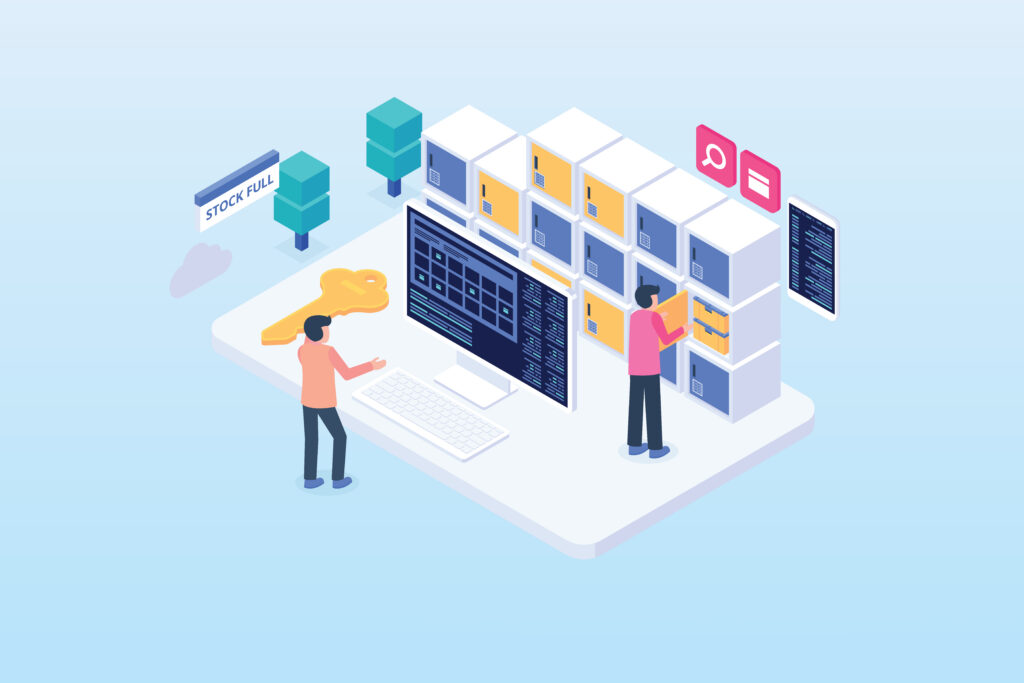
Today’s commerce has blended physical storefronts and digital shops. Businesses aiming for growth face the challenge of managing complex data, logistics, and inventory behind every transaction. To remain competitive, retailers need to move past manual, disconnected processes and adopt a single, streamlined operational method. The key to this change is a sophisticated retail stock management system. Think of it as an Enterprise Resource Planning (ERP) solution that becomes your business’s central command centre. It connects every part of your operation, from the distribution centre to the cash register. This guide will explain how consolidating your operations with smart software will boost your efficiency, accuracy, and profitability. How Does a Retail Inventory Control System Work? To appreciate the value of a unified ERP, we should first look at how a capable retail stock management system operates. Essentially, the system works by establishing one reliable source of information for every product (SKU) your company handles. As soon as an item enters your supply chain, it is logged within the ERP. From that moment on, the system monitors its location in real-time. Whether the product is sitting in a warehouse, being shipped to a flagship store, or bought via your e-commerce site, the system updates its status across all selling channels simultaneously. The integration happens through several important components: Centralised Data: Instead of using separate databases for your online shop and your physical locations, a unified system pools all information together. This prevents mistakes like overselling and ensures accurate current stock position, no matter where the customer is shopping. Automated Workflows: When product levels drop below a set minimum, the system can automatically create new purchase orders or notify your buying team. This reduces the need for manual inventory checks, which often result in human errors. Live Analytics: By collecting data at every interaction point, the system offers immediate insights into sales patterns. This lets retailers respond to market shifts right away, instead of waiting for reports at the end of the month. By bringing these elements together, a retail stock management system eliminates the internal divisions that typically slow down business expansion, making your operation more flexible and responsive. Understanding Your Inventory: Types of Retail Stocks Effective management starts with knowing exactly what products you hold. Not all inventory is the same, and a good ERP lets retailers categorise and manage different stock types to improve cash flow and storage use. In the UK retail sector, most businesses manage four main categories: Raw Materials and Components For retailers who produce their own goods or offer customised services, tracking raw materials is crucial. A unified system monitors these parts before they reach the production stage, ensuring that assembly lines never stop because of a missing component. Work-in-Progress (WIP) WIP covers items currently in the middle of being made or customised. In retail, examples include products being tailored, engraved, or specially packaged. Tracking WIP is necessary for giving customers accurate delivery timelines and for managing internal labour expenses. Finished Goods Products ready to be sold to the final consumer fall into this most common stock type. A reliable retail stock management system ensures these items are distributed across your locations efficiently, placing the right goods where customer demand is highest. Safety Stock (Buffer Stock) Given the unpredictable nature of the market, safety stock serves as a crucial safeguard against delays in the supply chain or unexpected increases in customer demand. A smart ERP calculates the perfect amount of safety stock to keep, balancing the need for availability against the risk of overstocking and tying up capital in products that are not moving. Organising inventory this way enables retailers to apply specific strategies to each group, ensuring that high-value finished goods are prioritised while components are ordered as they are needed. Why Invest in Retail Stock Management Software Moving from old systems or spreadsheets to a specialised ERP is a major undertaking, but the benefits often appear right away. Here is why successful retailers are making this technology a priority: Better Accuracy and Less Loss Keeping track of inventory manually always has flaws. Between administrative mistakes, shipping errors, and “shrinkage” (products lost to damage or theft), the financial cost of incorrect data can be enormous. A unified system offers a clear history for every product, greatly lowering the chance for mistakes and flagging problems before they become costly. Seamless Multi-Channel Operation Consumers expect a blended physical and digital shopping experience; they want to check availability online before visiting a store, or buy on the web and return at a physical location. Without a unified retail stock management system, meeting these expectations is nearly impossible. An ERP ensures your website, social media marketplaces, and physical shops all share the same live inventory data, guaranteeing a smooth experience for your customers. Improved Financial Management Inventory is often a retailer’s biggest asset, but it is also difficult to convert quickly into cash. Money tied up in products that sell slowly cannot be used for marketing, expanding, or new product development. ERP software provides the necessary reporting tools to pinpoint which products are “slow sellers” and which are “top performers,” allowing you to discount older stock effectively and reinvest in profitable categories. Ability to Scale Operations When a business expands from one store to ten, or from domestic to international shipping, the operational complexity increases rapidly. A professional ERP is designed to handle growth. It manages the greater volume of transactions and data without needing a proportionate increase in administrative personnel, letting you boost revenue while keeping your overhead expenses low. Decisions Based on Data In the past, retail decisions were often based on intuition. Now, they are driven by facts. A retail stock management system captures detailed information about customer preferences, seasonal patterns, and how well suppliers perform. These insights allow leadership to make smart choices about everything from setting seasonal buying budgets to managing staff levels in stores. Unifying the Future of Your Business Successful retail today relies on technology, not just products, to ensure items
Unifying Your Operations: A Guide to ERP for Retail Stores
Visibility is the foundation of retail success. As your business grows, operations become increasingly complex — what began as a single shop floor can quickly evolve into a web of spreadsheets, stock levels, and multi-channel orders. To cut through this complexity, industry leaders rely on ERP for retail stores. Rather than a standalone tool, an ERP acts as the operational backbone of your business. At Eurostop, we know that unifying your operations under one “single version of the truth” is the essential foundation for scaling your brand and staying competitive in a digital-first world. What is a Retail ERP and Why Does it Matter? An ERP system for retail is a central platform that integrates every part of the business — from product creation and procurement to inventory management, merchandising, sales and CRM. It represents a core business strategy, not simply a technological investment. Point-of-Sale (POS) systems handle transactions and spreadsheets track stock, yet an ERP connects all this data in real-time, delivering insights that drive action. Adopting an ERP means committing to a “single version of the truth,” ensuring every team member — from store managers in London to warehouse staff in Manchester — works from the same, accurate synchronised data. This clarity removes speculation and ensures all decisions are grounded in facts. The Pitfalls of Disparate Systems: Signs You Need a Unified Solution Many retailers operate with a mix-and-match approach, using separate applications for accounting, their physical POS, and a third-party platform for e-commerce. While workable initially, over time, this creates data silos that actively block progress. Key signs that your current technology is holding you back: • Stock Inaccuracies: The retail team is frequently cancelling online orders because the product was sold in-store moments earlier. • Manual Data Management: Employees spend significant time transferring data between systems, dramatically increasing the risk of human error. • Slow Reporting: Generating a complete profit-and-loss report takes days because information must be manually consolidated from multiple sources. • Inconsistent Customer Experience: A loyal in-store shopper receives email marketing that treats them as a new prospect because separate systems cannot communicate. When these challenges are familiar, the business has likely outgrown its collection of separate tools. Fragmented data is not merely an administrative inconvenience — it represents a significant drain on commercial performance. How ERP Streamlines Everything from Inventory to Customer Relations The primary purpose of a retail ERP is to eliminate operational friction. By consolidating operations, the system automates the flow of information throughout the entire business lifecycle. Inventory Optimisation: An ERP delivers a complete, detailed view of stock levels across all locations. It generates recommended POs based on past sales patterns and seasonal demand, ensuring the business avoids overstock on slow-moving lines and maintains availability on top sellers. Improved Customer Relations (CRM): Successful retailing depends on delivering a personalised experience. A unified ERP tracks customer activity across every interaction point. When a customer visits a physical store, staff can instantly review their online purchase history and preferences — enabling targeted marketing and building genuine, lasting brand loyalty. Financial Clarity: By linking sales data directly with finance modules, an ERP provides an immediate, clear picture of the company’s financial position. Management can track profit margins and oversee operating expenses. Beyond the Four Walls: Connecting to Online Selling Channels In today’s blended retail environment, the boundary between online and in-store shopping has largely disappeared. A capable ERP for retail stores must function as a reliable bridge to the digital marketplace. A key advantage of modern ERP is its ability to integrate with e-commerce platforms — such as Shopify, Magento, or BigCommerce — and global marketplaces like Amazon or eBay. When a purchase occurs online, the ERP instantly updates stock levels across physical locations and initiates the fulfilment process at the warehouse. Synchronising all channels allows a retailer to scale its online presence and increase sales throughout the business without increasing its administrative workload. Key Modules and Features to Look for in a Retail ERP System Not every ERP solution is the same. When selecting a system, retailers should look for functionality designed specifically for the industry: 1. Merchandising & Stock Control: The ability to manage complex product structures across different sizes, size groups, colours, styles and seasons, with attributes and merchandising capability. 2. Omnichannel Integration: Built-in connections for e-commerce platforms and online marketplaces. 3. Business Intelligence (BI): Powerful reporting tools with visual performance dashboards for key metrics. 4. Warehouse Management (WMS): Features for efficient order picking, packing, and shipping. 5. Mobile Accessibility: The ability for managers to access real-time business data on the go.. Implementing an ERP: A Step-by-Step Guide for Store Owners Beginning an ERP implementation can seem daunting, but a structured plan ensures a smooth transition. • Step 1: Needs Analysis: Clearly identify the pain points in your current operation. Define which features are essential versus those that would be beneficial. • Step 2: Data Cleansing: Before migrating to the new system, verify that all existing information is accurate. Incomplete or incorrect data will produce unreliable outputs — thoroughly review all product lists and customer records before migration. • Step 3: Choosing the Right Partner: Do not simply purchase software; select a vendor with proven retail sector expertise. At Eurostop, we focus exclusively on the retail industry, meaning we understand its distinct operational challenges. • Step 4: Phased Rollout: Rather than implementing everything at once, roll out in stages. Begin with core functions such as inventory and POS before introducing advanced features like BI or CRM. • Step 5: Training and Support: Ensure all team members feel confident using the new platform. Managing the transition is as much about people as it is about technology. Contact Eurostop Today — ERP for Retail Stores Eurostop offers tailored ERP solutions built specifically for the retail industry, backed by decades of hands-on experience. Our platform makes managing stock, sales, and customers more straightforward across all your selling channels. Contact us today for a no-obligation demonstration or call +44 (0) 208 991 2700.
The 2026 Guide to MPOS Retail Software: Features and Integrations
Walking through a store in 2026, the best experiences with a brand are immersive, personalise, interactive and responsive; they feel like conversations. Success today isn’t about tethering customers to a static checkout counter; it’s about meeting them where they are with superior customer service and a quick, frictionless way to buy. That’s where mPOS retail software comes in. It has evolved from a nice-to-have gadget into the digital heartbeat of the modern storefront. If you’re looking to keep your brand at the front of the pack, understanding what mobile tech can really do is the first step. Here is a look at the features, clever integrations, and big-picture strategies that are defining mPOS this year. The Evolution of MPOS: What’s New in 2026? The mPOS systems available in 2026 are far more than scaled-down versions of traditional cash registers; they function as powerful, handheld hubs for complete retail management. The industry focus has moved from merely processing sales to significantly enhancing the customer experience. Current software prioritises rapid connectivity and user-friendly interfaces, enabling your staff to seamlessly transition from checking inventory to finalising a payment, all without leaving the customer’s side. The core objective is to remove any obstacles to a purchase, effectively turning every area of the store into a potential sales point. 6 Key Benefits of mPOS Retail Software To succeed in the current market, mPOS retail software must offer significant advantages beyond simple mobility. Modern retailers are adopting these solutions to transform in-store operations and deliver exceptional customer experiences. Here are the key capabilities: 1. Real-Time Product Lookup and Inventory Visibility Staff can instantly check the availability of styles, sizes, and colours across the entire business estate. This real-time access to inventory data ensures accurate information is always at hand, enabling confident recommendations and eliminating the frustration of discovering items are unavailable after a customer has decided to make a purchase. Knowledge is power, and mPOS arms your store assistants with valuable opportunities for informed upselling, cross-selling, and personal recommendations. 2. Omnichannel Fulfilment Capabilities The system allows staff to “save the sale” by placing orders for out-of-stock items from other stores or a warehouse for delivery to the customer’s home. This endless aisle functionality ensures retailers never lose a sale due to local stockouts, while providing customers with the flexible fulfilment options they expect in 2026. 3. Integrated Customer Loyalty and Personalisation Staff are empowered to immediately view customer purchase history from the mobile device. This integrated loyalty access transforms every interaction into an opportunity to strengthen customer relationships, increase engagement, and drive repeat purchases through tailored incentives. 4. Secure Contactless Payment Processing Full support for all current digital wallets and secure, encrypted card processing ensures a simple and safe checkout experience. Modern mPOS retail software handles contactless payments seamlessly, reducing transaction times while maintaining the highest security standards—meeting customer expectations for speed and safety. 5. Seamless Retail Master Integration Within the Eurostop framework, efficiency comes from a centralised system architecture. Your mPOS links directly and efficiently to Retail Master, which acts as the central intelligence for your entire operation. By routing all activity through Retail Master, your mPOS gains a complete and unified perspective of the business. The mobile device doesn’t need to communicate directly with your Finance system or large-scale ERP; instead, it sends data to Retail Master, which then handles the synchronisation with those other platforms, ensuring every floor-side sale is accurately and promptly reflected in your high-level reports, CRM, and inventory databases. 6. Enhanced Security and PCI DSS Compliance As the use of mobile devices increases, the need for robust security measures grows alongside it. In 2026, mPOS retail software must fully comply with stringent PCI DSS standards. Eurostop places a high priority on end-to-end encryption and secure user verification, ensuring that mobile transactions are as secure aspayments made at a traditional terminal. Safeguarding customer data is not just a legal obligation; it is fundamental to maintaining brand trust with your customers. How to Choose the Right mPOS Retail Software When selecting mPOS retail software, look for a provider who deeply understands the specific demands of your retail sector. Ensure the software is fully scalable and works well with your existing systems. Most importantly, select a system that genuinely simplifies your staff’s workflow. Although smaller systems attempt to offer an all-in-one solution on the POS, Managing detailed inventory functions via a central system like Retail Master offers better overall accuracy and keeps the floor staff’s tools simpler and focused. Contact Eurostop for mPOS Retail Software Today Eurostop provides industry-leading mPOS retail software solutions designed to integrate perfectly with your retail management ecosystem, including seamless connection with Retail Master for unified business operations. Contact us online for a no-obligation demonstration or call +44 (0) 20 8991 2700 to learn how our mPOS retail software can empower your team and streamline your operations for 2026 and beyond.
Mobile POS Systems: Revolutionising Retail Customer Experience

For your brand to truly flourish, your technology needs to work as seamlessly as your team, moving behind the scenes to support every interaction. When systems operate in silos, that vital transparency disappears, and you risk missing those small, meaningful moments that define exceptional service. Upgrading to a more modern mobile POS system isn’t just a technical update; it is a strategic step toward ensuring you have a best-in-class tech stack in place to monitor performance and refine your operational workflows. What is a Mobile POS (mPOS) and How Does it Work? A mobile POS system, or mPOS, is a dedicated, handheld device that enables your sales associates to process transactions and access essential data from anywhere on the sales floor. It’s important to understand that Eurostop‘s mPOS requires specific hardware and won’t operate on standard consumer mobile phones. Instead, it is a professional-grade tool designed specifically for the demands of retail. These devices connect directly to your central EPOS hub, offering a single view of all inventory by syncing data across your entire ecosystem. Unlike consumer devices that rely on cameras for scanning, a true mobile POS system includes a professional scanner to guarantee both speed and accuracy, even during your busiest hours. 6 Key Benefits of Mobile POS Systems Modern retailers are adopting mobile POS solutions to enhance operations and improve customer experiences. Here are the key advantages: Queue Busting and Instant Checkouts One of the most immediate advantages of a mobile POS system is its power to eliminate obstacles in your customer’s journey. By freeing your team from the fixed cash wrap, they can engage in “queue busting,” completing purchases instantly at the moment the buying decision is made. A fluid approach to checkouts prevents the frustration of long lines and ensures a seamless experience from the moment a customer steps in until they leave. Endless Aisle Capabilities Mobile POS systems equip your sales staff with “endless aisle” capabilities right in their hands. If a specific item is out of stock on the shelf, staff can instantly check the current stock position across the warehouse or other store locations. This allows customers to place orders for home delivery immediately, securing sales that would otherwise be lost due to stockouts. Personalised Customer Service on the Shop Floor As retail continues to evolve, consumers expect highly personalised service, making data access and transparency essential. With an mPOS, staff can access centralised customer information to provide relevant recommendations based on past purchases. This level of service elevates a simple transaction into a custom-tailored shopping experience, delighting customers and fostering long-term loyalty. Real-Time Inventory Visibility Mobile POS systems provide instant access to accurate stock positions across all locations. This real-time synchronisation with your retail EPOS system ensures staff always know what’s available and where, enabling confident recommendations and faster fulfilment decisions during customer interactions. Professional-Grade Hardware and Scanning Unlike consumer devices that rely on cameras, professional mobile POS systems include specialised scanners designed for swift, accurate inventory control. This dedicated hardware delivers faster transactions, improved accuracy, and a smoother in-store experience—ultimately reducing errors and improving operational performance. Robust Security and Reliable Performance Mobile POS systems feature top-tier encryption to protect sensitive customer data across your entire POS estate. With durable design built to withstand the daily challenges of busy retail environments, these systems maintain high performance and data accuracy even during peak trading periods. Key Features to Look for in a Modern mPOS Solution When selecting a mobile POS system, retailers should prioritise: Professional Scanning: Specialised scanners (not cameras) for swift inventory control Real-Time Synchronisation: Immediate updates to your retail EPOS system to accurately reflect current stock positions Advanced Inventory Reporting: The ability to analyse data across comparable time frames to track and monitor performance Robust Security: Top-tier encryption to protect sensitive customer data Durable Design: Hardware constructed to stand up to daily challenges Contact Eurostop for Mobile POS Systems Today Eurostop specialises in professional mobile POS systems designed to enhance retail operations and improve customer experiences. Our solutions provide real-time inventory control, seamless EPOS integration, and powerful business intelligence—helping retailers operate more efficiently and deliver exceptional service. Contact us today for a no-obligation demonstration or call +44 (0) 20 8991 2700 to learn how our mobile POS systems can support your business.
Retail EPOS Software: A Complete Guide to Integrating EPOS and E-commerce

In today’s retail environment, customers expect seamless experiences whether they are browsing online or shopping in-store. For retailers operating across multiple channels, delivering this unified journey depends on having the right technology foundation in place. Integrated retail EPOS software enables businesses to connect their physical and digital operations, ensuring consistency, visibility, and control across every touchpoint. When systems operate in silos, retailers risk losing sales, missing valuable customer insights, and falling behind more agile competitors. Why Disconnected Systems Hurt Retail Operations When your EPOS system and e-commerce platform do not share information, real-time stock visibility is compromised. This disconnect can lead to overselling, stockouts, and customer frustration—such as when an item sells in-store but still appears available online moments later. Beyond lost revenue, disconnected systems make it difficult to deliver the unified commerce experience that today’s consumers expect. Pricing inconsistencies, delayed fulfilment, and limited visibility across channels all undermine trust and long-term customer loyalty. 6 Key Benefits of Integrated Retail EPOS Software To address these challenges, retailers are increasingly adopting integrated EPOS solutions. At Eurostop, this integration is powered by Retail Master, which acts as a central retail management platform. Instead of managing multiple databases, Retail Master offers a single, accurate view of stock across all physical stores and online sales channels. Real-Time Inventory Synchronisation Automatic updates ensure your current stock position is accurate across the entire POS environment, helping to prevent overselling. With real-time inventory visibility, retailers can reduce stockouts, avoid overstocking, and make more informed replenishment decisions. Centralised Customer Data Management By unifying customer profiles, retailers can deliver consistent loyalty rewards and personalised marketing, regardless of where a purchase takes place. Advanced Business Intelligence and Reporting Integrated systems allow retailers to analyse performance across comparable timeframes and locations. Detailed reporting supports data-led decisions around pricing, promotions, and inventory planning—helping businesses improve efficiency and profitability. Seamless Omnichannel Fulfilment Integrated EPOS solutions enable flexible fulfilment options such as click and collect, ship from store, and in-store returns for online purchases. Accurate, real-time data ensures orders are routed smoothly and fulfilled with confidence. Improved Operational Efficiency Mobile POS (mPOS) devices give staff instant access to inventory, customer data, and product information on the shop floor. Professional-grade hardware with dedicated scanners improves speed and accuracy, reducing errors and boosting productivity during peak trading periods. Scalable Multi-Location Management Eurostop’s EPOS is designed for continuous operation, maintaining high performance and data accuracy even during the busiest sales periods. Whether managing a single store or multiple locations, retailers benefit from reliable systems that scale alongside business growth. Key Steps for a Smooth Transition Upgrading your system and devices requires a well-planned strategy. Retailers should focus on: Understanding the Customer Journey: Identify where integration can remove customer difficulties, such as enabling “click and collect” or “ship from store” options. Reviewing Your Tech Stack: Make sure your existing e-commerce platform is fully compatible with a robust retail management system. Data Synchronisation: Establish a continuous, real-time flow of information among your warehouse, mobile POS (mPOS) devices, and web servers to ensure full operational transparency. Choosing the Right Retail EPOS Software Provider When selecting retail EPOS software, retailers should prioritise scalability and advanced business intelligence capabilities. The ideal platform must be able to generate reports based on attributes like the specific festive season or the organisational level in your business hierarchy. It is also essential to invest in professional mPOS devices equipped with dedicated scanners rather than standard cameras. This hardware delivers faster transactions, improved accuracy, and a smoother in-store experience, ultimately reducing costs and improving operational performance. Retailers using integrated EPOS platforms consistently report efficiency gains, reduced shrinkage, and improved inventory accuracy through automated stock control and predictive analytics. Contact Eurostop for Retail EPOS Software Today Eurostop specialises in integrated retail EPOS software designed to unify in-store and online operations. Our solutions, including Retail Master, provide real-time inventory control, centralised customer data, and powerful business intelligence—helping retailers operate more efficiently and support long-term growth. Contact us today for a no-obligation demonstration or call +44 (0) 20 8991 2700 to learn how Eurostop’s retail EPOS software can support your business.
Connected Retail Solutions: 6 Ways to Bridge In-Store and Online Shopping

Think about the last time you bought something. You might have spotted it on Instagram, checked the reviews on your laptop, and finally headed into the store to see it in person, or maybe you did the exact opposite. For most of us, online and in-store are no longer separate worlds. We don’t see channels; we simply see the brands we love. To keep up, retailers are moving beyond fragmented systems in favour of connected retail solutions, intelligent platforms that blend the tactile, human experience of a physical shop with the effortless convenience of digital commerce. What Are Connected Retail Solutions? Connected retail solutions use technology to integrate every single point where a customer interacts with your brand. These are complete systems where all parts, stock records, sales terminals (POS), online shops, and loyalty programs, talk to each other, communicating for a single ‘view of truth’ and consistent brand experience. Instead of having separate systems, connected retail solutions ensure the information stays consistent whether someone is browsing on their phone, calling customer service, or trying on clothes in a changing room. The result is a unified commerce experience for optimal customer satisfaction and brand loyalty. 6 Key Benefits of Connected Retail Solutions Real-Time Inventory Synchronisation Across All Locations By sychroning stock levels across warehouses, stores and online channels, connected retail solutions provide an accurate view of stock across your business to effectively manage inventory according to demand. This can be the difference between making the most of every potential sale versus problems such as capital held up in dead stock, stockouts and disappointed customers. Real-time visibility means your business always knows exactly what’s available and where. Unified Customer Experience Across All Channels This generations of customers are demanding seamless experiences whether they shop online, in-store, or through mobile apps. Connected retail solutions synchronise customer data, purchase history, and loyalty status across all touchpoints, enabling personalised service and consistent brand experiences that drive customer satisfaction and retention Empowered Store Teams with Mobile Access When staff have real-time data on handheld devices, they can offer endless aisle shopping. This means a customer can order an item for home delivery even if it’s not on the shelf. This leads to more sales, smoother operations, and, in the end, customers who spend more over time. Data-Driven Decision Making with Predictive Analytics Connected retail solutions gather valuable information from every purchase and interaction. By using advanced data analysis, retailers can make decisions based on facts rather than guesswork. Accurate data is essential. Knowing what stock cover is held enables retailers to optimise their supply chains. Tied in with accurate sales data that can be sliced and diced by, for example, location and product variant, it is possible to predict future demand. When you know what your customers are looking for before they even ask, you transform your business from a company that just reacts into a helpful partner in their shopping journey. Seamless Omnichannel Fulfilment Modern shoppers expect flexibility—buy online and pick up in store, order in store for home delivery, or return online purchases at physical locations. Connected retail solutions make these omnichannel fulfilment options effortless by maintaining accurate, real-time inventory data across all channels and enabling smooth order routing Enhanced Supply Chain Visibility and Control By providing a complete view of the supply chain, retailers can reduce waste, improve delivery efficiency, and make more informed purchasing decisions. Accurate stock management means fewer unsold items go to waste and shipping routes can be more efficient, which lowers the environmental footprint. By making options like “click and collect” or “ship from store” easier, companies can improve local delivery, reducing the environmental harm caused by long-distance transport. Contact Eurostop for Connected Retail Solutions Today At Eurostop, we specialise in providing the tools and expertise needed to turn your retail operation into a connected, data-driven powerhouse. Our team is here to help you implement robust systems that streamline your operations and delight your customers. Contact us today for a no-obligation demonstration or call +44 (0) 20 8991 2700 to learn how our connected retail solutions can transform your business for the digital age.